

How To Create a Quick Run for the JACoW Media BoxContact: Raphael Mueller, GSI Open the action list using the gear-wheel icon on toolbar: 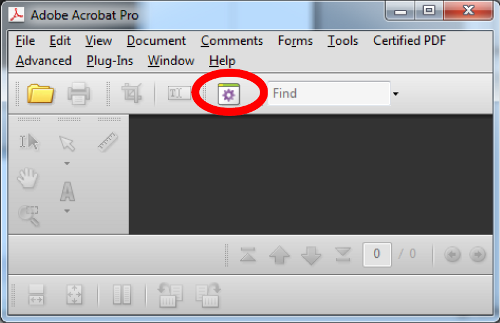 This will open a new window. In this new window: 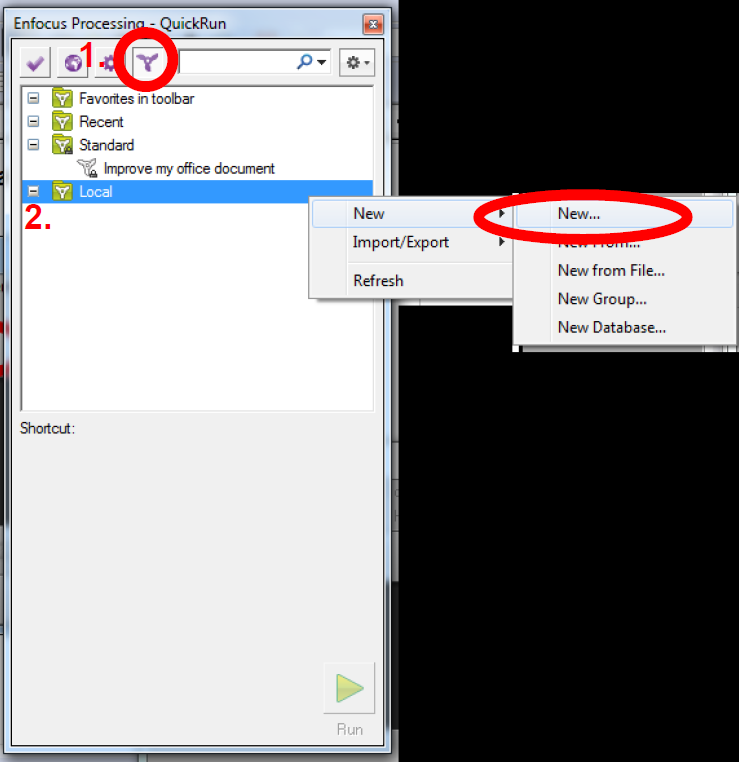
This will again open a new window. In this window: 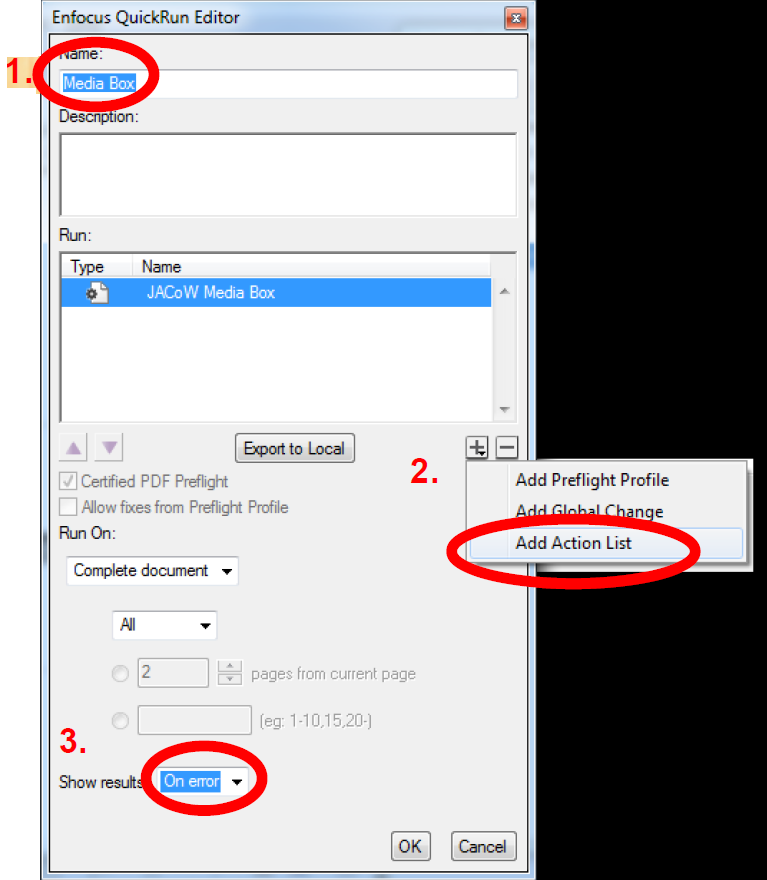
You should see a new entry “Media Box”. Right click on the newly created entry and select “Add to Favorites”: 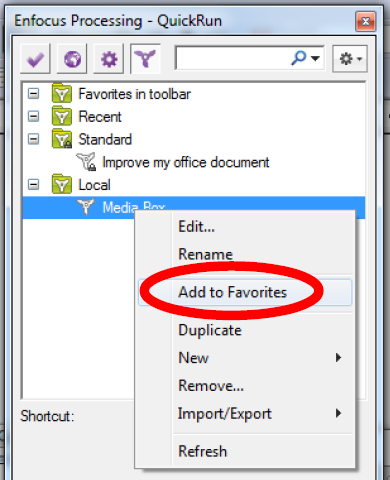 Now you should see the QuickRun icon in the Acrobat Toolbar; it will run the JACoW Media Box without going through the Action List Dialog Window: 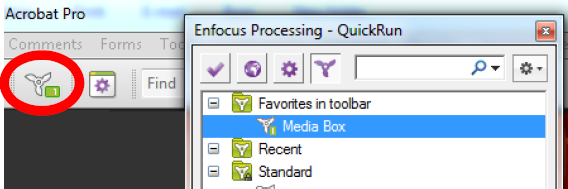 |
