OBSOLETE!. See updated version.
[ Show as SlideShow ]
How to Integrate SPMS Data into Your Conference Website
Contact: Ivan Andrian - Elettra-Sincrotrone Trieste S.C.p.A.
This talk will showcase the variety SPMS generated reports which can be included in your conference website which are automatically updated as data evolves is your SPMS instance. Example code and exercises will be featured for further hands on working following the demonstration. A number of useful applications for poster police, doting boards, and other information screens will be showcased. Conference registration and the exchange of information between external registration systems will also be discussed.
Why?
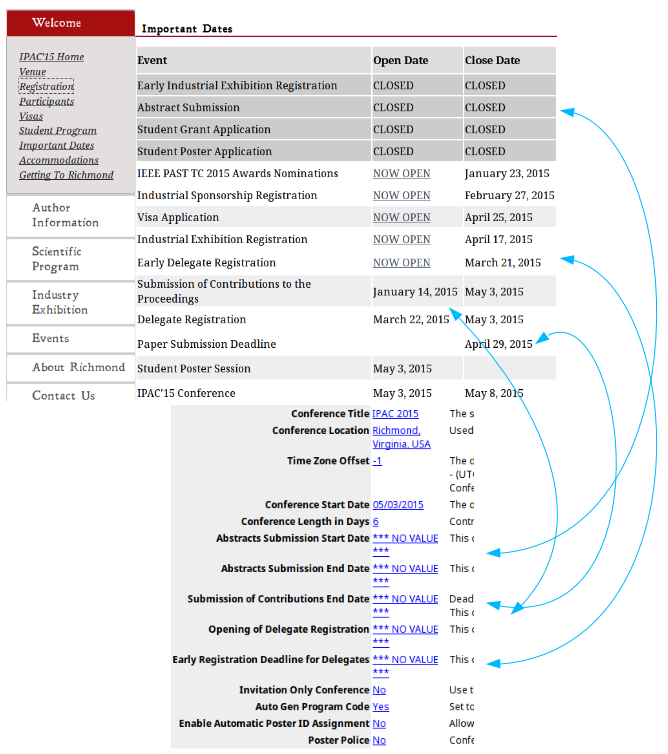 | Avoid redundancy and update errors...
"Live" data |
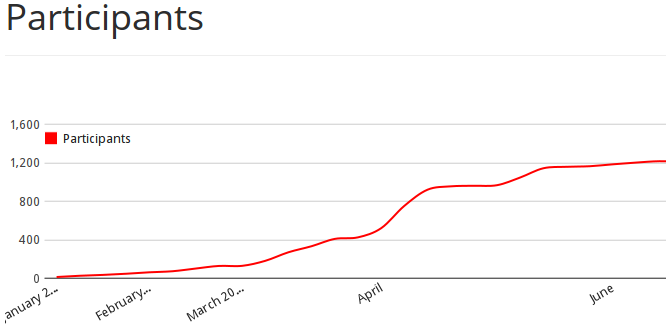
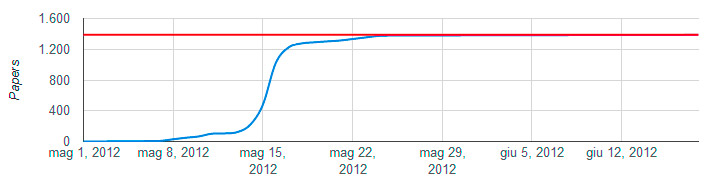 | Nice graphics |
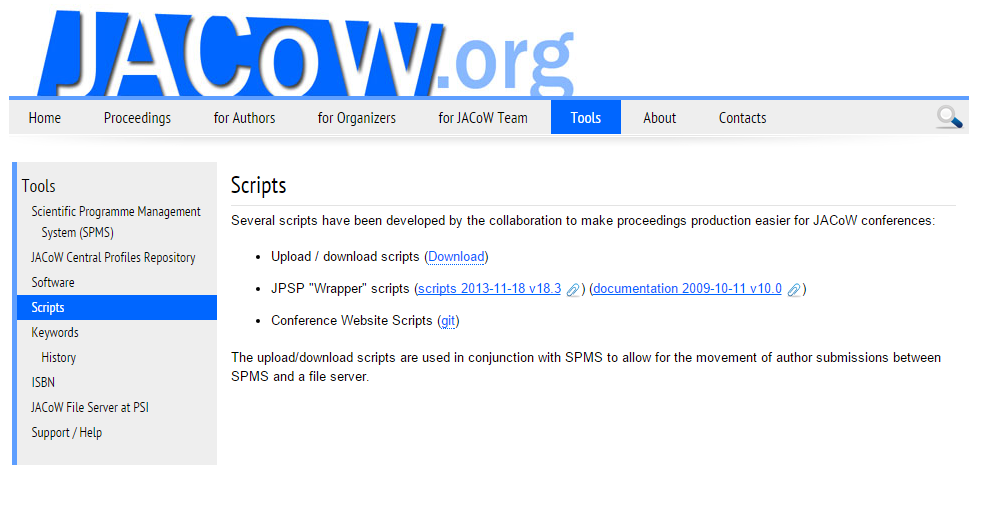
Available scripts
- Charts of
- Registrants
- Papers submission
- Abstracts submission
- List of participants page (chart, list of delegates, list of exhibitors' representatives, countries chart)
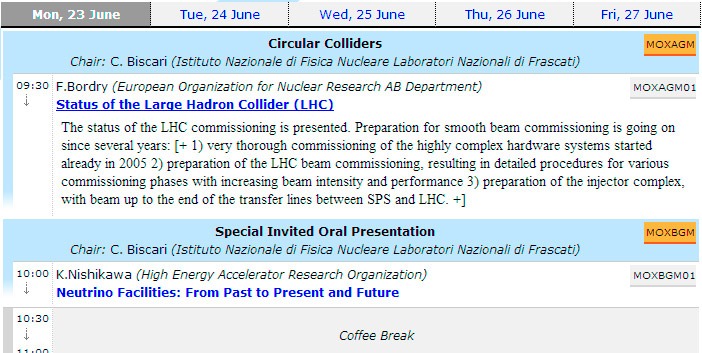
- Scientific Programme
- Exhibitors Maps
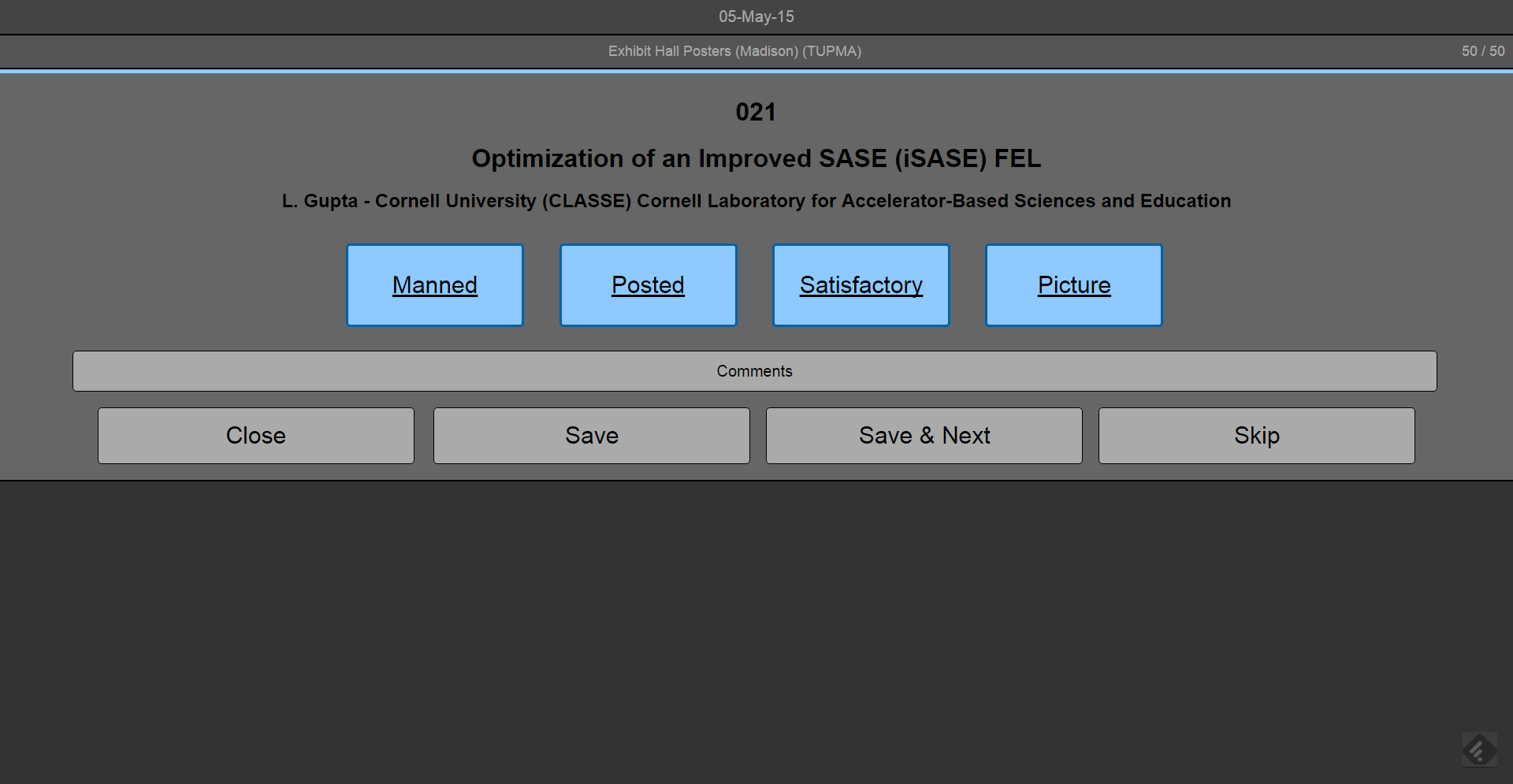
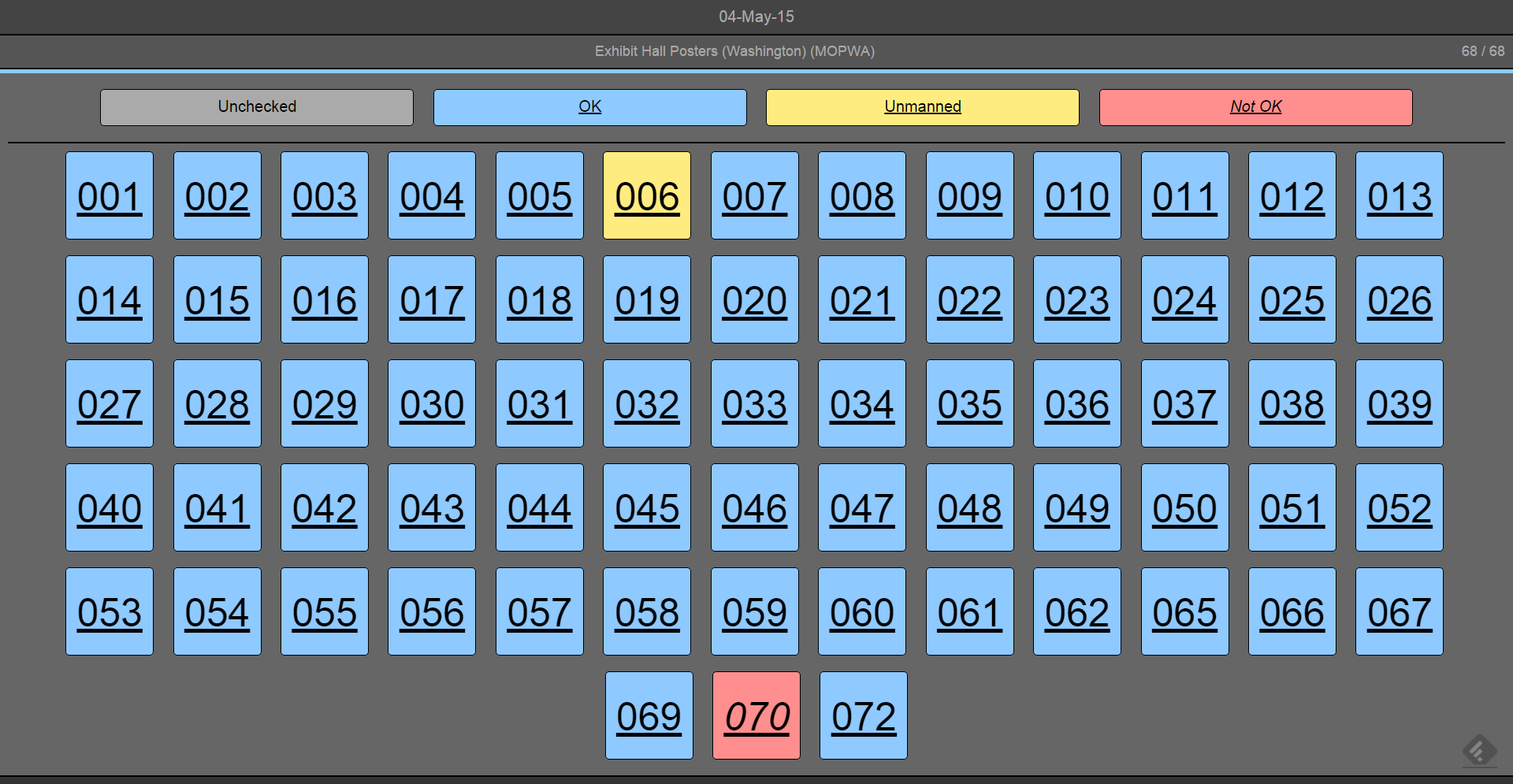
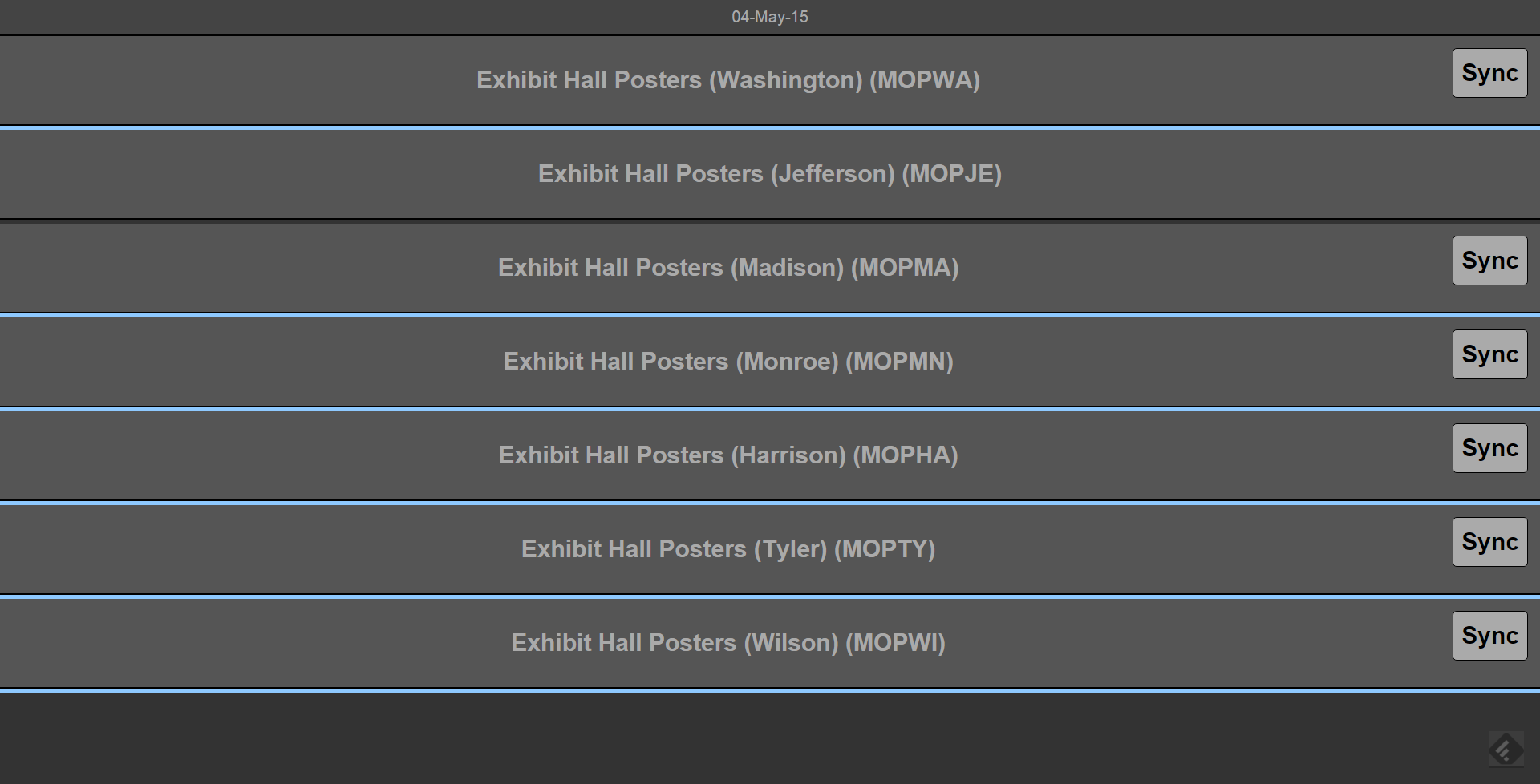
- Poster Police
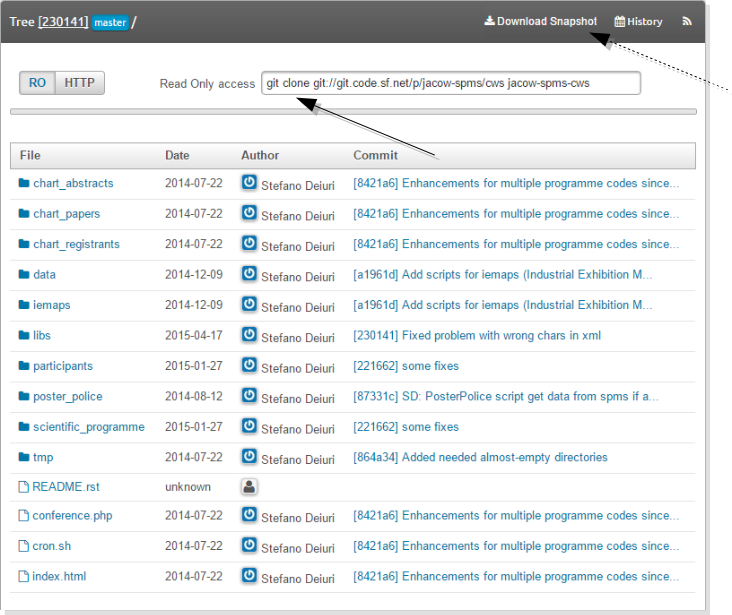
Where
How
Directory structure (@webserver)
chart_*, iemaps, participants, poster_police, scientific_programme: the scripts
data: data processed and saved by the scripts for next steps
html: output files saved by the scripts
libs: required common libraries
tmp: temporary (raw) data downloaded from the SPMS (cache)
Configuration
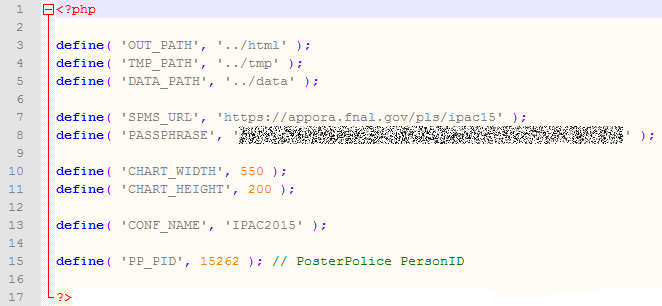 | some global variables shared by the scripts have to be configured in the global configuration file, available in the root of the package (conference.php) |
- SPMS Xtract package to export data for CWS (and other) scripts
- For security/privacy reasons it requires a passphrase which must be configured in the System Parameters
- each call to the package has to send the passphrase
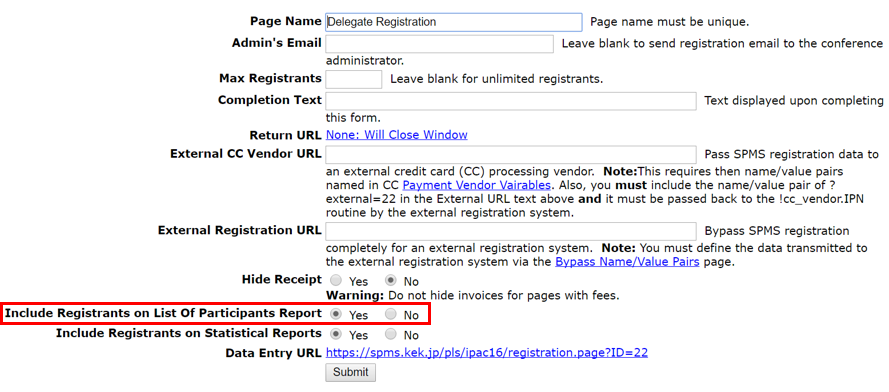
List of participants
- Dependency: "Include Registrants on List Of Participants Report" flag in the registration page properties page of SPMS.
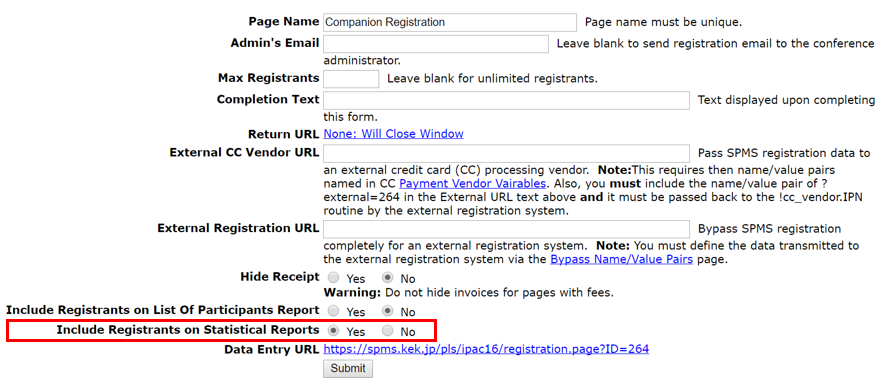
Registrants' graph
- Dependency: "Include Registrants on Statistical Reports" flag in the registration page properties page of SPMS.
Abstract submission chart
- SPMS method used:
xtract.fileuploaded
- it provides a table with date and number of abstract submitted that day
- the script processes this data and produces two files (HTML Javascript) to render the chart (by way of Google API)
- template files are used to simplify the generation of the final HTML
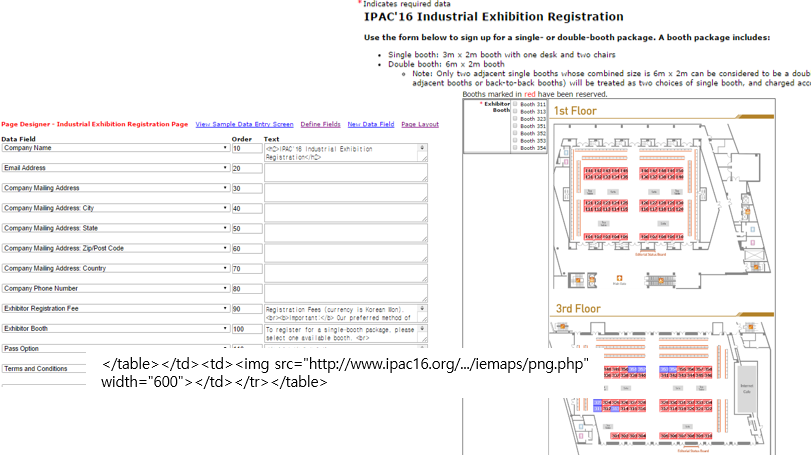
Industrial Exibition maps
- Scripts are called from SPMS every time a map needs to be displayed
- Maps are always up-to-date
Generated booth map and SPMS
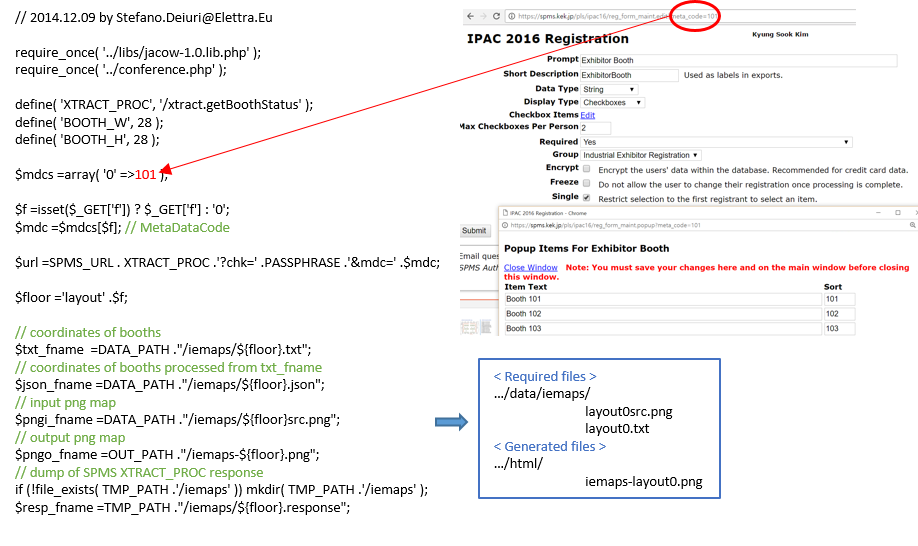
How the script behaves - png.php
Summing up
- The script calls the SPMS method
registration.getBoothStatus?mdc=...xyz... to get the list of booked booths for the floor 'N'
$mdcs =array('0' =>541, '1' => 21, '2' => 102, '3' => 103);
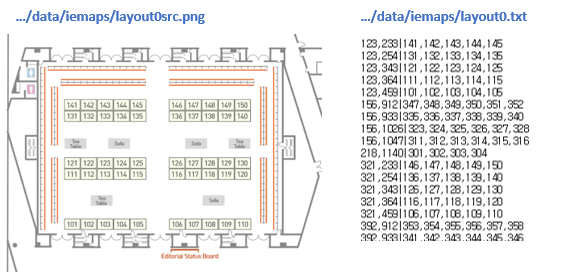
- Loads the position of the booths
(from data/iemaps/floorN.txt)
- Loads the map of the floor
(from data/iemaps/floorNsrc.png)
- Draws the booked booths on the map and saves the resulting image (
html/iemaps-floorN.png)
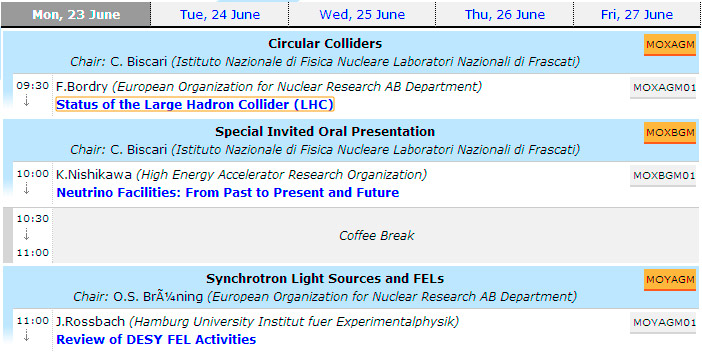
Scientific Programme
- This script uses two SPMS exports
spms_summary.xml
to get the list of sessions
xml2.session?sid=...session_code...
to get the data of each session
- Then it processes the downloaded XML files (about 20MB for a typical IPAC) and produces:
- a page with the sessions, talks, breaks, for each day of conference
- a lot of @@HTML@ files, one for each abstract (these files are dynamically loaded in the programme when required)
- a processed data required by other scripts (poster police and barcode tool)
Poster Police
- a tool to collect information about the posters - needed for the production of the proceedings
- it provides a web interface that works with any browser and is OS independent
- interface optimised for the tablets
- it's possible to use it simultaneously on more than one tablet
- ! it requires a network connection (web app)
Entry point
Poster details
Session overview
Day view - submission
Remember the cron jobs
     [root@#localhost ~]# crontab -l

     */1 * * * * /var/www/html/cws/cron.sh
     */1 * * * * /var/www/html/cws/iemaps/png.sh
     * */1 * * * /var/www/html/cws/sp/make.php
That's all folks!
Thank you!